PocketBook reader - EPUB, PDF
- 4.2
- Rating
- 10.00M
- Installs
- Free
- Price

 Analysis by App-foxy
I first approached PocketBook Reader as a practical way to keep different kinds of reading material in one place, rather than as a replacement for every dedicated reading service. That distinction matters. This free Books & Reference app from Pocketbook International SA is built around opening a broad selection of digital formats, including documents, comics, novels, and spoken content. In everyday use, I found its biggest appeal was flexibility: I could move between a long EPUB, a technical PDF, and an audiobook-style file without changing apps.
That flexibility also makes it interesting in a household where one phone or tablet is used by more than one person. A parent might keep manuals and ebooks on the device, while another family member reads comics or listens to an audio title. The app does not turn a shared device into a fully separated family library, so organization and personal boundaries depend largely on how the device and files are managed. Still, for readers who already have books in different formats, it can be a useful central shelf.
One reader for a mixed household library
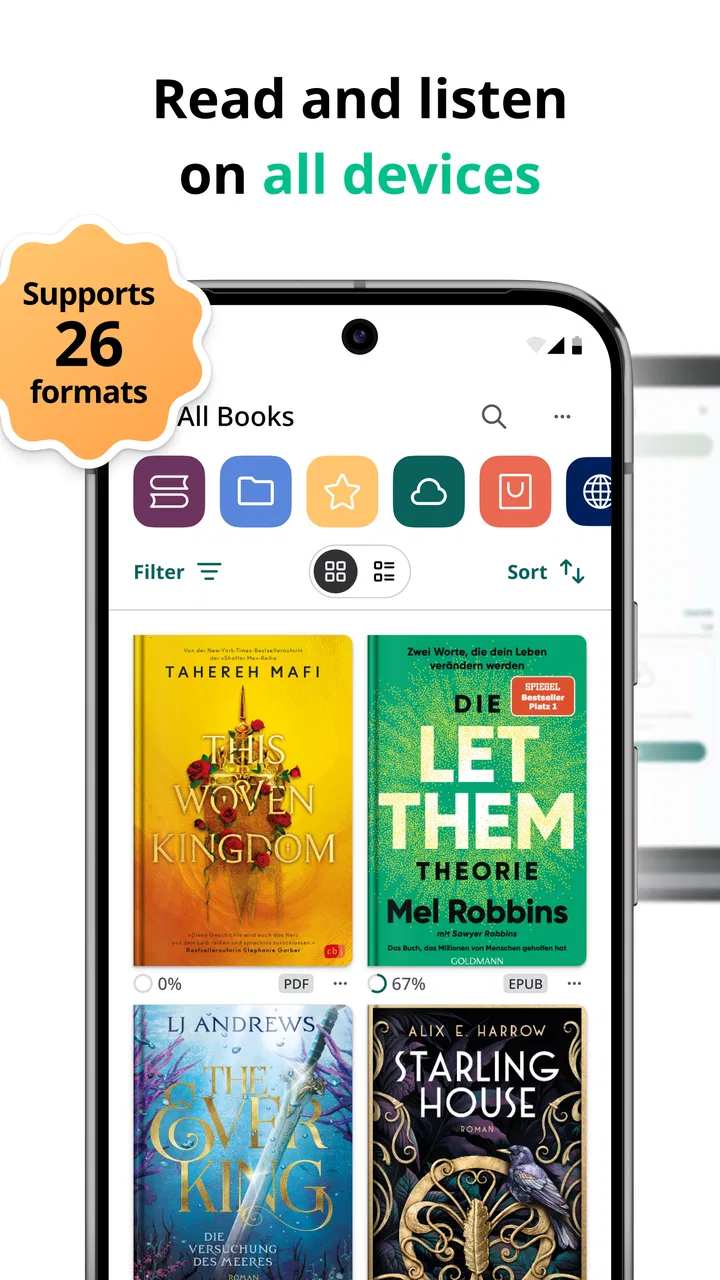
The app’s store summary names support for PDF, EPUB, DjVu, FB2, CHM, CBR, MOBI, mp3, m4b, AZW, and other formats. That list tells you more about its character than a polished feature slogan would: this is a format-friendly reader aimed at people who collect files from several sources. I found that especially useful when my reading material was not limited to standard ebooks.
You May Also Like

 Blood Strike: 2.5 Anniversary
Blood Strike’s Loadouts Turn Every Drop Into a Tactical Gamble
A close look at Blood Strike’s custom loadouts: how fast access to signature weapons reshapes its battle royale rhythm, rewards preparation, and narrows the gap between fights.

 Pandora - Music & Podcasts
Pandora’s Music Is Easy to Start, but Harder to Recover
Pandora’s strength is its low-effort path from a seed to a station. Its weak spot is how much confidence it asks you to place in connection, setup, and quiet recovery.

 8 Ball Pool
 Is Built on Rivalries, Rematches, and Routine
A close look at the rivalries, rematches, shared routines, and unanswered safety questions that turn a quick pool match into a persistent mobile community.

 Samsung Music
’s Quiet Strength Is Playing What You Already Own
Its reach comes less from spectacle than from dependable access to a personal library. That simplicity is both the app’s strongest retention engine and its ceiling.

 AccuWeather: Weather Radar
AccuWeather Review: A Quick, Clear Forecast for Everyday Decisions
For everyday plans, the best forecast is the one you can understand quickly. AccuWeather makes rain timing, radar, and local conditions easy to act on, with a few trade-offs.

 Hill Climb Racing
Why Hill Climb Racing Still Turns Crashes Into One More Run
A tiny car, a bumpy hill and one more upgrade: Hill Climb Racing keeps resurfacing because its simple chaos makes every near-miss feel personal.
More From Our News Desk



A realistic shared-device example would be a tablet on a living-room table. One person may open a recipe collection or instruction manual in PDF form, another may read an EPUB novel before bed, and a younger reader may browse a comic stored as a CBR file. Instead of asking which app handles each file, the household can begin with one reader and see whether its workflow suits everyone.
That convenience has a trade-off. A shared library can become messy quickly when books, documents, comics, and audio files are mixed together. I would not expect the app alone to solve household organization. Before handing the device around, I would create a simple file structure, use clear filenames, and decide which material belongs to everyone and which belongs to one person. That small amount of preparation makes a bigger difference than repeatedly searching through an unstructured collection.
For personal use, the same breadth is valuable in less obvious ways. Students may encounter lecture notes in PDF and older reference material in DjVu or CHM. Readers with independent ebook collections may have titles in EPUB, MOBI, or AZW. Comic readers benefit from CBR support, while people who prefer listening can keep mp3 or m4b files nearby. I would choose this app over a narrow ebook reader when my library is genuinely mixed.
Setting up boundaries on a shared device
The first setup decision is not about reading style; it is about ownership. On my own device, I can treat the reader as a private shelf. On a family tablet, I would first decide whether the app is being used as a communal bookshelf or as a convenient viewer for files belonging to separate people. Those are different arrangements, and confusing them can lead to accidental spoilers, misplaced files, or someone opening a private document.
I would keep shared reference material in one clearly named location and personal reading material elsewhere. If the device supports separate user spaces through its operating system, I would use those boundaries rather than assuming the reader creates them automatically. If it does not, I would avoid loading sensitive documents into a library that other household members can browse.
This is also where the app’s broad format support requires a little discipline. A PDF containing bills, a personal journal, or work notes should not be treated like a public ebook simply because the same reader can open it. The ability to read many formats is not the same as a privacy system. My advice is simple: use it for private files on a private device, and be cautious with shared hardware.
For a child using the family tablet, I would prepare a small collection rather than handing over the entire document folder. That keeps the experience understandable and reduces the chance of opening material intended for adults. The app carries an Everyone content rating, but that should not be mistaken for a guarantee that every file a user imports is suitable for every age. The rating describes the app’s general classification, while the household controls the content placed inside it.
Another practical boundary concerns reading positions. When several people use the same title, the last position may not represent everyone’s place. I would avoid sharing one book between readers who need independent progress tracking unless the device arrangement offers separate profiles or each person is willing to mark their place manually. For a shared reference manual, that is irrelevant; for a novel, it can become annoying very quickly.
Coordinating reading without overcomplicating it
I found the app most comfortable when I treated it as a flexible file reader, not as a complete household library-management service. Before adding material, I would agree on a naming convention such as “Author - Title” and separate fiction, study, comics, manuals, and audio. This sounds basic, but it makes a shared device far easier to navigate than relying on memory.
There is also a useful distinction between reading together and merely using the same device. If two people are reading the same novel, a single copy in a shared location may be convenient, but their progress can interfere with each other. If one person is studying from a PDF while another is listening to an m4b file, the arrangement is less troublesome because the content and usage patterns are separate.
For a household that swaps files often, I would establish one person as the organizer. That person can remove duplicates, check that a file opens correctly, and keep obsolete documents from filling the library. This is not a special feature I would attribute to the app; it is a workflow that makes its broad compatibility more manageable.
The format itself can affect the experience. EPUB is usually the kind of file I prefer for novels because reflowable text is more comfortable across different screen sizes. PDF is better for fixed layouts, forms, scans, and manuals, but it can feel cramped on a phone because the page is designed around a fixed shape. CBR makes sense for comics, where page layout matters, while audio formats serve a completely different kind of reading session. Choosing the right format before blaming the reader is an important part of getting good results.
When someone asks whether the app can replace a dedicated ebook store, my answer is no, not in every situation. It is better understood as a reader for files and formats. A store-centered app may be preferable if your priority is buying books, syncing purchases, and staying inside one commercial catalog. PocketBook Reader becomes more compelling when you already possess files from different places and want one app capable of opening them.
Age, trust, and the limits of a shared library
The Everyone age classification makes the app approachable for a general audience, and I can imagine it working well for a household reference device. A child can use it for school material or age-appropriate ebooks, while adults can use the same app for manuals and personal reading. The important point is that the app is only the container. The suitability of the experience depends on the files and on how the device is supervised.
I would not give a young child unrestricted access to a mixed personal library simply because the app itself is rated for everyone. An imported document can contain anything, and the reader’s job is to display it. For younger users, I would prepare a limited set of books, keep the device in a visible place, and explain which folders are theirs. For older children, I would focus more on organization and responsible file handling than on treating the reader as a locked-down children’s platform.
Trust also matters between adults. A shared tablet can contain work documents, personal notes, or books someone does not want others to browse. If those boundaries matter, I would use device-level separation or keep private files off the shared device. I would not rely on the reader itself as a substitute for account separation, because a versatile document viewer is not automatically a privacy manager.
There is a positive side to this openness. Families can build a shared reference shelf with cookbooks, travel guides, school PDFs, public-domain reading, and instruction manuals. The app’s ability to handle both reading and listening files means the same device can support different habits without requiring every person to learn a separate interface. That makes it a sensible option when convenience matters more than highly specialized family features.
What the app feels like in everyday reading
In my experience, the strongest part of the app is the reduction in format anxiety. I do not have to ask whether a document is a conventional ebook before trying to open it. That is particularly helpful for older collections, technical archives, and mixed personal libraries where file extensions are inconsistent.
Still, compatibility is not identical to perfect presentation. A file can open and remain awkward to read because its layout, fonts, scans, or embedded elements were created poorly. PDFs are the clearest example: a complex page may require zooming and panning, especially on a phone. I would choose a larger tablet for manuals and scanned documents, while using a phone mainly for reflowable books or short reference checks.
Audio support adds another useful angle. Keeping mp3 and m4b files alongside books can make the app a practical companion for people who alternate between reading and listening. I would use that for commuting, household chores, or switching away from the screen at night. However, someone whose main priority is advanced audiobook organization may prefer an app designed specifically around narration, playback queues, and listening history rather than a reader that also handles audio.
The same principle applies to comics. CBR support is helpful if your collection is already stored that way, but comic readers who need highly specialized panel navigation or a dedicated reading ecosystem may find a focused comic app more comfortable. PocketBook Reader’s advantage is not that it wins every individual category; it is that it covers many categories in one place.
For study, I would use it as a dependable reading surface rather than assume it replaces a full note-taking system. A student can open reference files and keep course material accessible, but the best workflow may involve a separate notes app for detailed annotations, citations, or collaborative work. That separation is not a major weakness if the goal is simply to read; it becomes important when the reader expects a complete academic workspace.
Performance expectations, cost, and device fit
PocketBook Reader is free to install, which makes it easy to test with a personal collection before committing to a household workflow. The app includes in-app purchase options ranging from $0.49 to $354.99 per item, so I would check the purchase screen carefully and avoid assuming that every function or related offering follows the same pricing model. The free entry point is useful, but families should still understand what they are selecting if a paid option appears.
The current Android release is 5.63.2.36061.release and requires Android 8.0 or newer. In practical terms, that means I would check the operating system of an older family tablet before planning around it. A device that cannot meet the minimum requirement is not a good candidate, regardless of how suitable its screen might be for reading.
The app has been available since May 23, 2013, and its reach is reflected in more than 10 million installs. It holds an average rating of 4.2 from around 101 thousand ratings, with roughly 2.7 thousand written reviews. Those figures suggest a well-established reader with a substantial audience, but I would still judge it against the particular formats and devices in my home instead of treating popularity as proof that every workflow will be effortless.
On a phone, I would reserve it for novels, short documents, and quick checks. On a tablet, its wider format range becomes more useful because PDFs, comics, and reference pages have more room. For a shared device, battery life, storage, and screen comfort may matter more than the app itself. A technically compatible tablet can still be unpleasant for long sessions if the display is small or the device is slow to open large files.
Who should choose it, and who should look elsewhere
I would recommend it to readers with a mixed digital library, especially those who dislike maintaining separate apps for EPUB, PDF, comics, and audio files. It is also a good candidate for a household reference tablet where several people need access to different kinds of reading material and are willing to keep the library organized.
It is less suitable for someone who wants a tightly managed bookstore experience with purchases, recommendations, and a single commercial ecosystem at the center. In that case, a store’s own reading app may feel smoother. I would also look elsewhere if private profiles, child-specific restrictions, or independent reading histories are the main requirements. The app can participate in a shared-device setup, but it should not be mistaken for a complete family account system.
Dedicated alternatives can be better in narrow situations. A specialist audiobook app may offer a more focused listening workflow. A comic reader may provide more tailored navigation. A note-taking or study platform may be stronger for annotation and research. The reason to pick this reader is the balance: one flexible application can cover many file types without forcing a household to divide its library across several tools.
My household verdict
After using it as a general-purpose reader, I see PocketBook Reader as a practical choice for people who value openness and format coverage more than a tightly controlled ecosystem. Its support for books, documents, comics, and audio makes it unusually adaptable, and that adaptability is especially useful when a family shares a tablet or maintains a varied digital collection.
My main advice is to establish boundaries before importing everything. Separate personal and shared files, keep age-appropriate material in a clearly identified area, and do not expect one reading position to serve several people comfortably. Those habits address the main friction points without pretending the app provides family controls or private profiles that are not part of its role.
For me, the final decision comes down to what is already in your library. If you mostly buy books inside one dedicated ecosystem, that ecosystem may remain the simpler choice. If you have PDFs, EPUBs, DjVu files, comics, and audio scattered across devices, this is a flexible free reader worth trying first. I would recommend it to a household that wants one dependable shelf for many formats, provided everyone understands where personal reading ends and shared-device convenience begins.
FAQs for PocketBook reader - EPUB, PDF
01What formats does PocketBook Reader support?
PocketBook Reader supports a wide range of formats, including EPUB, PDF, MOBI, FB2, TXT, DJVU, and more. This versatility allows users to access various types of eBooks and documents without needing to convert them, making it a convenient option for avid readers who have collections in different formats.
02Is PocketBook Reader available for both Android and iOS?
Yes, PocketBook Reader is available for both Android and iOS platforms. Users can download the app from the Google Play Store for Android devices and the Apple App Store for iOS devices. The app provides a seamless reading experience across different devices, ensuring you can access your library wherever you go.
03Does PocketBook Reader offer cloud storage integration?
PocketBook Reader integrates with cloud storage services like Dropbox, Google Drive, and PocketBook Cloud. This feature allows users to easily sync their books across multiple devices, ensuring they always have access to the latest version of their library and reading progress, regardless of the device they are using.
04Can I customize the reading experience in PocketBook Reader?
Yes, PocketBook Reader offers extensive customization options. Users can adjust font sizes, styles, and background colors to suit their reading preferences. The app also includes features like night mode and text-to-speech, enhancing the overall reading experience and making it more comfortable for extended reading sessions.
05Is there a cost to use PocketBook Reader?
PocketBook Reader is free to download and use, offering a wide array of features without any initial cost. However, there might be in-app purchases or premium features available for users who wish to enhance their experience further. These optional purchases can provide additional functionalities or remove ads.
Pros
- Supports multiple eBook formats.
- Customizable reading settings.
- Syncs across devices easily.
- Built-in dictionary feature.
- Offline reading available.
Cons
- Premium features require payment.
- Occasional syncing issues.
- Limited audiobook selection.
- Ads in free version can be intrusive.
- Some features need internet access.

PocketBook reader - EPUB, PDF
Gallery